
Guide
A society gate app that works without internet: what the guard can still do
Updated
Written by the Ekvasa team at Colligo Infotech. How we write our guides.
Why the gate must work offline
The gate is often where the signal is weakest: a cabin beside the basement ramp, a lift lobby, a corner of the compound. Networks also drop at night, just when the guard is alone. A gate app that stops with the network leaves the guard back on a paper register, and the office with two records to join.
What the gate phone keeps
The gate phone keeps only what the gate needs:
- the society’s homes;
- active guest passes for the next 7 days, and staff passes with their days;
- the numbers each home has given the gate;
- residents’ active vehicles;
- regulars, homes’ delivery notes, and parcels at the gate with their hand-over codes;
- days off, and how many hours a visitor may stay before being marked as in too long;
- patrol checkpoints, rounds and shifts;
- approved material passes.
The copy is made again about every 10 minutes while there is a network and the gate app is open. The phone also keeps the log of the last 7 days. Everything is deleted when the guard signs out, after a warning if any entries have not been sent yet.
What works with no network
| At the gate | With no network |
|---|---|
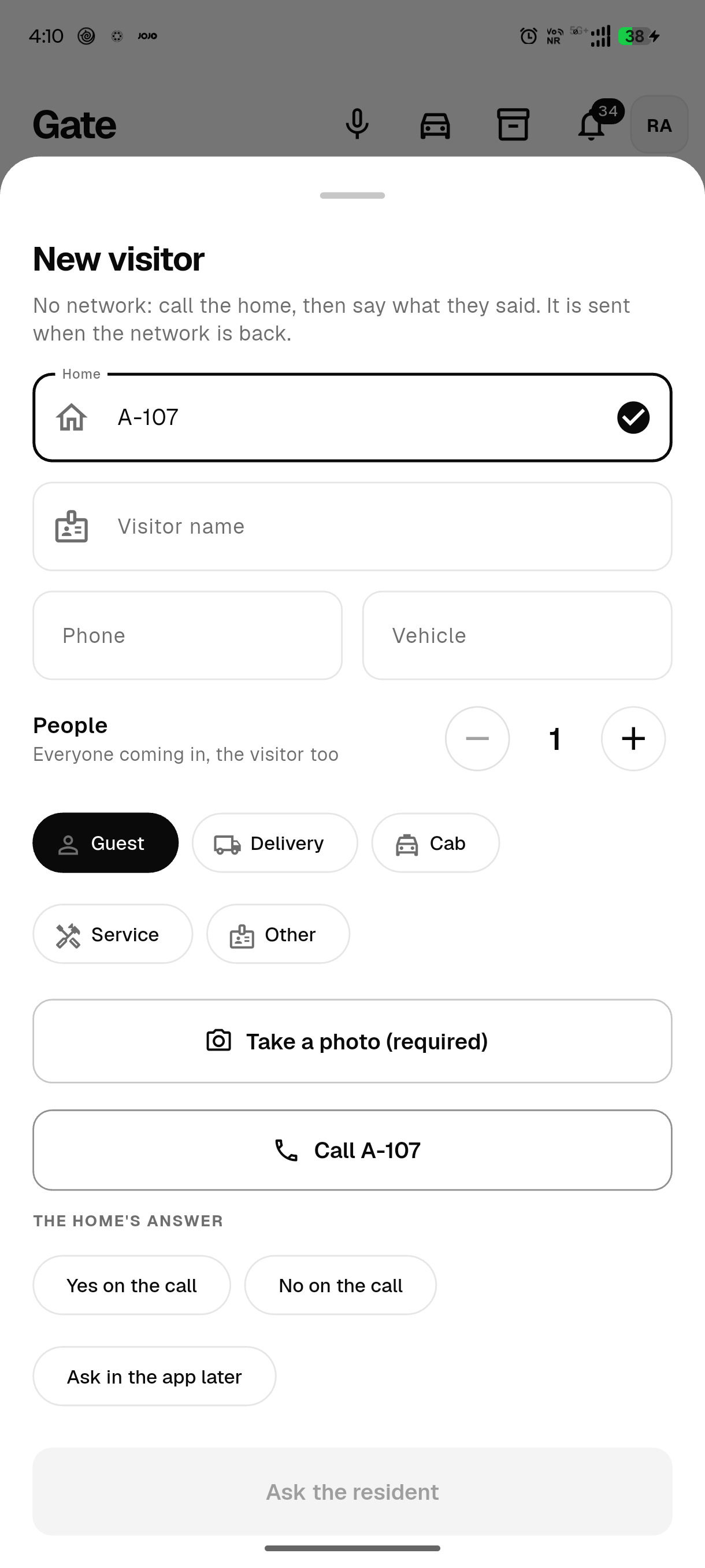
| New visitor | Name, photo, home and how many people (1 to 50); the guard calls the home and taps its answer |
| Waiting visitor | The guard calls the home from the visitor’s card |
| Check in, check out, cancel | Works as usual |
| Guest pass code and QR pass | Checked against the phone’s copy; scanning the QR runs the same check as typing the code |
| Regulars’ codes | Checked against their days and hours |
| Parcels | Logged with a photo, handed over with the home’s code (or with a reason), or sent back |
| Visitors in too long | Marked from the society’s overstay hours |
| Today’s staff | Who is expected, who is inside, and check-in |
| Vehicle look-up | Residents’ vehicles from the phone’s copy (no visitor history) |
| Patrol rounds | QR checkpoint scans are checked on the phone |
| Guard mark-in and mark-out | Recorded with the stamped selfie, and sent later |
| Material passes | Checked once, within the pass’s hours |
| Residents’ gate QR and the society’s service vehicles | In and out are recorded |
| Children leaving and coming back | Recorded, for homes that switched on the alert |
| Today’s log | Works as usual |
What needs the network
Some things only make sense live, so they wait for the network:
- a resident’s approval in the app;
- SOS;
- creating a guest pass;
- visitor parking;
- notices on the gate phone;
- amenity bookings;
- telling a vehicle’s owner;
- the office’s web console.
A visitor no home has approved yet
With no network, the app cannot ask the resident. A phone call needs no data, so the guard calls the home from the app and taps what was said: Yes on the call lets the visitor in, No on the call turns them away.
The guard can also tap Ask in the app later. The entry is kept in the log as a decision on the call, and the home is told when the entry reaches Ekvasa.
How entries reach the office
- Each entry once. Every entry carries an id made on the phone, so sending it again after a dropped connection changes nothing.
- In order. The oldest entry goes first. A check-out never arrives before the visitor it is about.
- The true time. Each entry keeps the phone’s time of the event, never in the future and at most 30 days back.
- Ekvasa checks each one. A pass used or cancelled meanwhile: the entry is kept, because the person did come in, and marked "pass no longer valid".
- Nothing dropped silently. An entry Ekvasa cannot accept is put aside with the reason, for the guard to see and the office to sort out.
- A sign-out the guard did not ask for. If the gate login is signed out from outside, unsent entries are kept on the phone and go once a gate login of the same society signs in again.
What the guard and the office see
While the network is down, the gate screens show a bar: "No network. The gate keeps working.", with how many entries wait and when the copy was made. When the network is back it says "Sending…" while the entries go.
A gate phone that has been out of touch for over a day is reported to whoever manages guard logins, and shown on the office app’s Overview until it is back.
The residents’ and office apps on a weak network
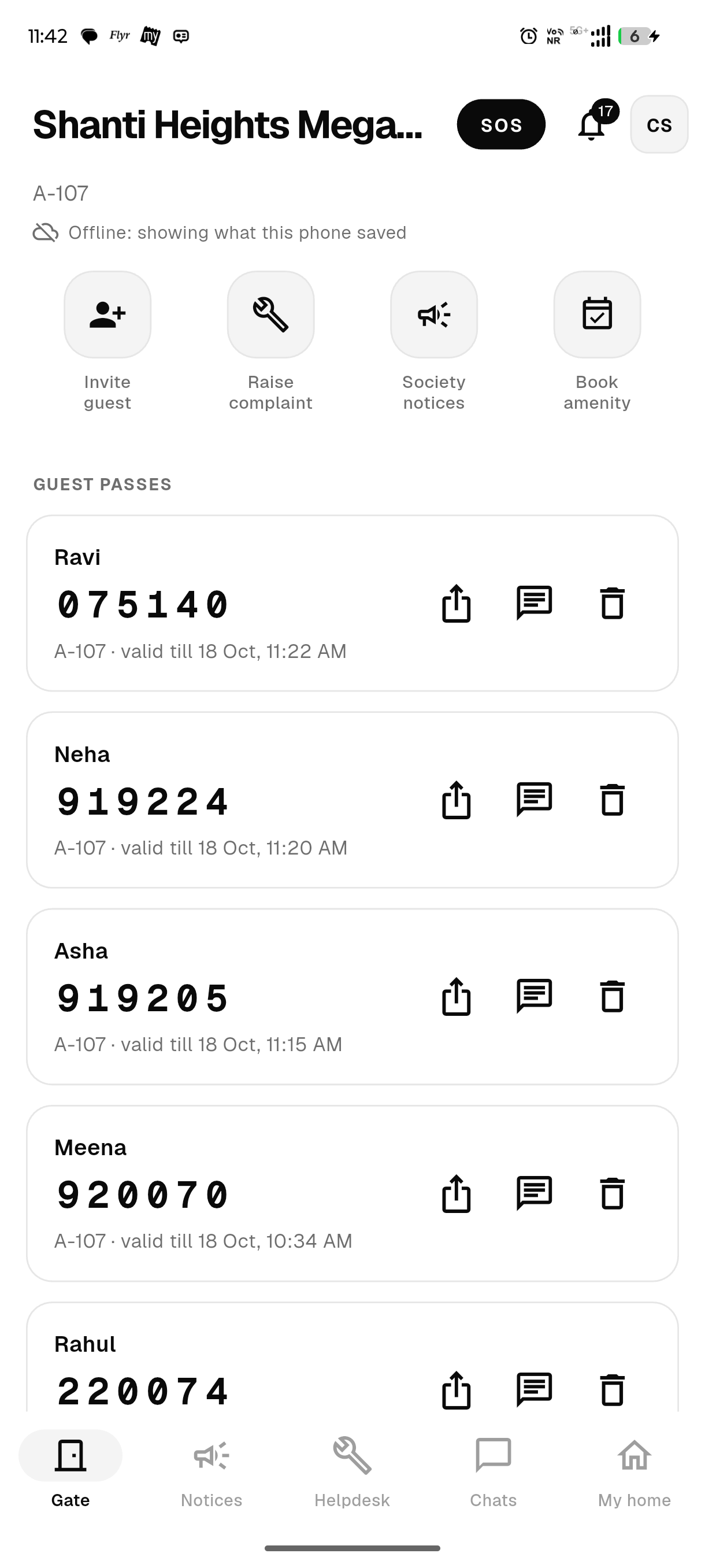
The other two apps handle a weak network in a narrower way. On a slow network, after 2.5 seconds the app shows the copy the phone saved, with the line "Offline: showing what this phone saved".
Only these actions wait and go later: complaints and replies, votes, chat messages, I’ve paid and changes to daily staff from residents; notices, expenses, approvals and payment confirmations from the office. More on languages and offline.
Test any gate app in flight mode
Whichever app your society looks at, try this with the gate phone in flight mode:
- Log a visitor.
- Check a guest code.
- Hand over a parcel.
Then switch the network back on and ask what happened to those three entries, with what time, and what the app could not do. The same test is in our checklist for choosing a society app. Moving from another app? See how to switch your society’s app.
Questions committees ask
What if the network is down all day?
The gate carries on from the copy made last. Entries wait on the phone and go when the network returns. After a day without contact, the office sees the gate phone as out of touch.
Can an entry be counted twice when the network comes and goes?
No. Each entry carries its own id, so an entry sent again is recorded once.
Is anything stored on the phone after sign-out?
When the guard signs out, the copy, the log and the waiting entries are deleted, after a warning if any are unsent. Only when the gate login is signed out without the guard asking are unsent entries kept, until a gate login of that society signs in and sends them, for at most 7 days.
Do this in Ekvasa
Ekvasa keeps bills, receipts, notices and records in one app for the office and every home. The Ekvasa team sets your society up with your own data.