How onboarding works
How a society comes on board: tell us about it, we call you, show Ekvasa to your committee and set it up with your own data.

Moving from another society app
Your homes, residents, dues and accounts come across from Excel, with a preview of every row. The Ekvasa team plans the move with your committee, so the gate never stops.
Updated
Many societies already use an app such as MyGate, NoBrokerHood, ADDA or ApnaComplex (now ANACITY), or a mix of WhatsApp groups and Excel sheets.
This page links our page on each of these apps, says what comes across when a society moves to Ekvasa, and lists what to check before your committee chooses any app. MyGate, NoBrokerHood, ADDA, ApnaComplex and ANACITY are trademarks of their owners; Ekvasa is not connected with them.
Each page below sets out what that app says it offers on its own website, with the source and the date we checked it, the questions to ask, and what needs care when a society leaves it. None of them is a ranking.
The move itself works the same whichever app you leave: a committee decision, your records, one cut-off date for dues, guard training and a go-live day. Our guide on how to switch your society app has every step, a notice to residents and a checklist to copy.
Your society’s records come in through Ekvasa’s own Excel templates, filled from whatever the office keeps today. Ask your current provider for an export of your homes, residents and dues, or use the office’s own registers.
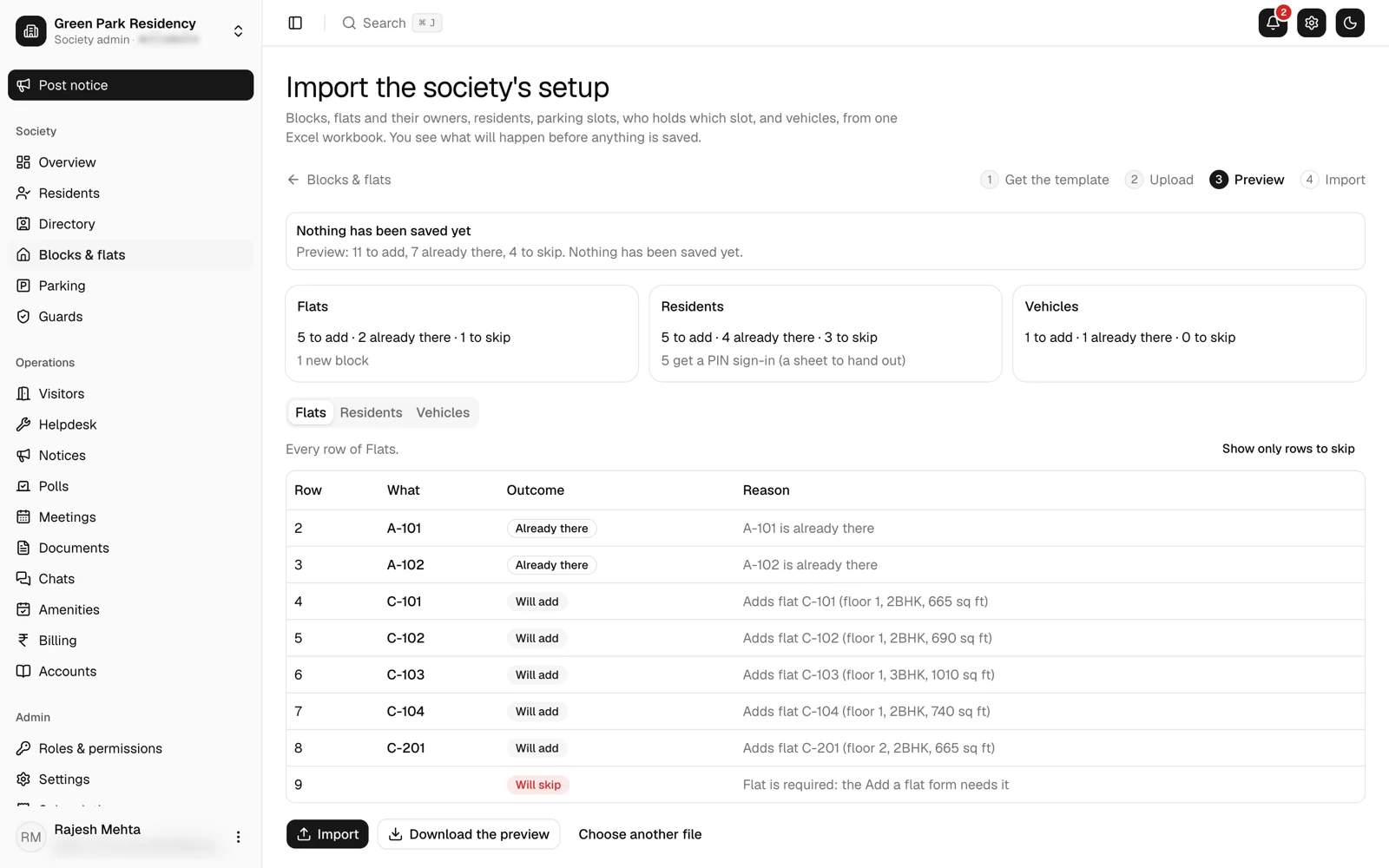
Before anything is saved, the Ekvasa team shows a preview: the rows to add, the rows already there and any row skipped with its reason. The committee fixes them once, at the start.
Guards get one simple app in English, Gujarati or Hindi. The home approves each new visitor in the app, guests come in with one-time codes or QR passes, and parcels are handed over with the home’s code.
If the network drops, the gate keeps letting people in and records every entry with its true time. See the gate without internet and gate security.
Residents pay maintenance into the society’s own account with any UPI app, and Ekvasa never holds the society’s money. Your opening dues come across, so every home’s balance is right from the first bill.
The office keeps double-entry accounts and prints income and expenditure, receipts and payments and the balance sheet for the AGM and the auditor, with a file Tally can import.
Whichever app your committee picks, ask every company the same questions. These are the ones that matter most at the gate and in the accounts.
Common questions
Yes. Your homes, residents, parking, vehicles, opening dues and balances, amenities and guards are copied into Ekvasa’s Excel templates, and the Ekvasa team brings them in with a preview of every row. Request onboarding and we will plan the move with your committee.
No. Their homes are already set up from your records. Residents install the Ekvasa app and sign in with their mobile or email and a 6-digit code. A home’s tenant, or its owner when the home is not let, can add their own family.
Step by step: the office fills Ekvasa’s Excel templates, the committee checks the preview, the team shows the committee and the guards how it works, and the society goes live on a day agreed with the committee.
If the committee wants, the old app stays on for a short overlap. How long it takes depends on the size of the society and how ready its lists are. Our guide on how to switch your society app has every step.
Bring Ekvasa to your society.
Tell us about your society. We call you, show Ekvasa to your committee and set it up with your own data.